support@delari.co.za
The New Standard

Takeoff &
Estimating,
Simplified.

Simple measuring software for real-world jobs. Get exact measurements from your digital plans in minutes, not hours.

PDF Measuring Software

Who is it for

Whether you're a builder, tiler, painter, carpenter, architect, or interior designer, Delari PDF Measure helps you work out exact measurements straight from your digital plans — in minutes, not hours.

Perfect for anyone who needs to:

Measure walls, floors, ceilings or areas directly from a plan

Calculate materials (paint, tiles, concrete, etc.) accurately

Create better quotes for clients without guesswork

Save time on site and in the office

Delari PDF Measurer

Key benefits

1

Super easy to use

If you can open a PDF, you can use Delari. Just click, drag, and measure — it's that simple.

2

Accurate to the millimetre

Get real measurements straight from your drawings. No need to print, scale, or estimate.

3

Save time and money

Stop re-measuring or over-ordering materials. Know exactly what you need before you start.

4

Works for any trade

From painters and tilers to engineers and designers — anyone who uses layouts can use it.

5

Affordable & accessible

No expensive licences. No complex setups. Just one low annual subscription.

Try it for yourself

Start your 7-day free trial today and see how easy measuring can be.
No credit card. No fuss.

Installer file 89mb!

Work Easier

How it works

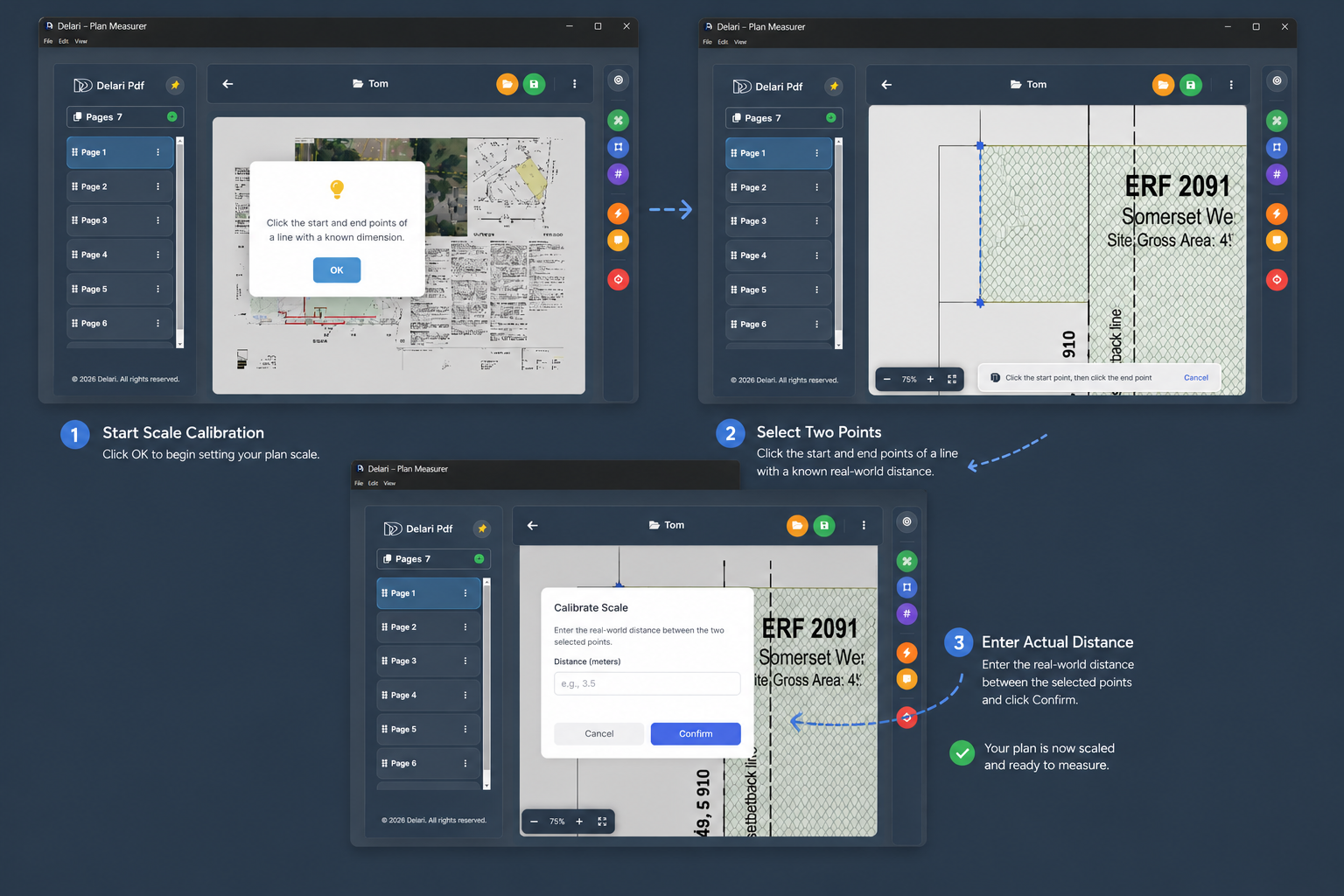
Delari PDF Measurer was developed to make your work easier. See the simple four-step process below.

1 Upload your PDF plan or drawing
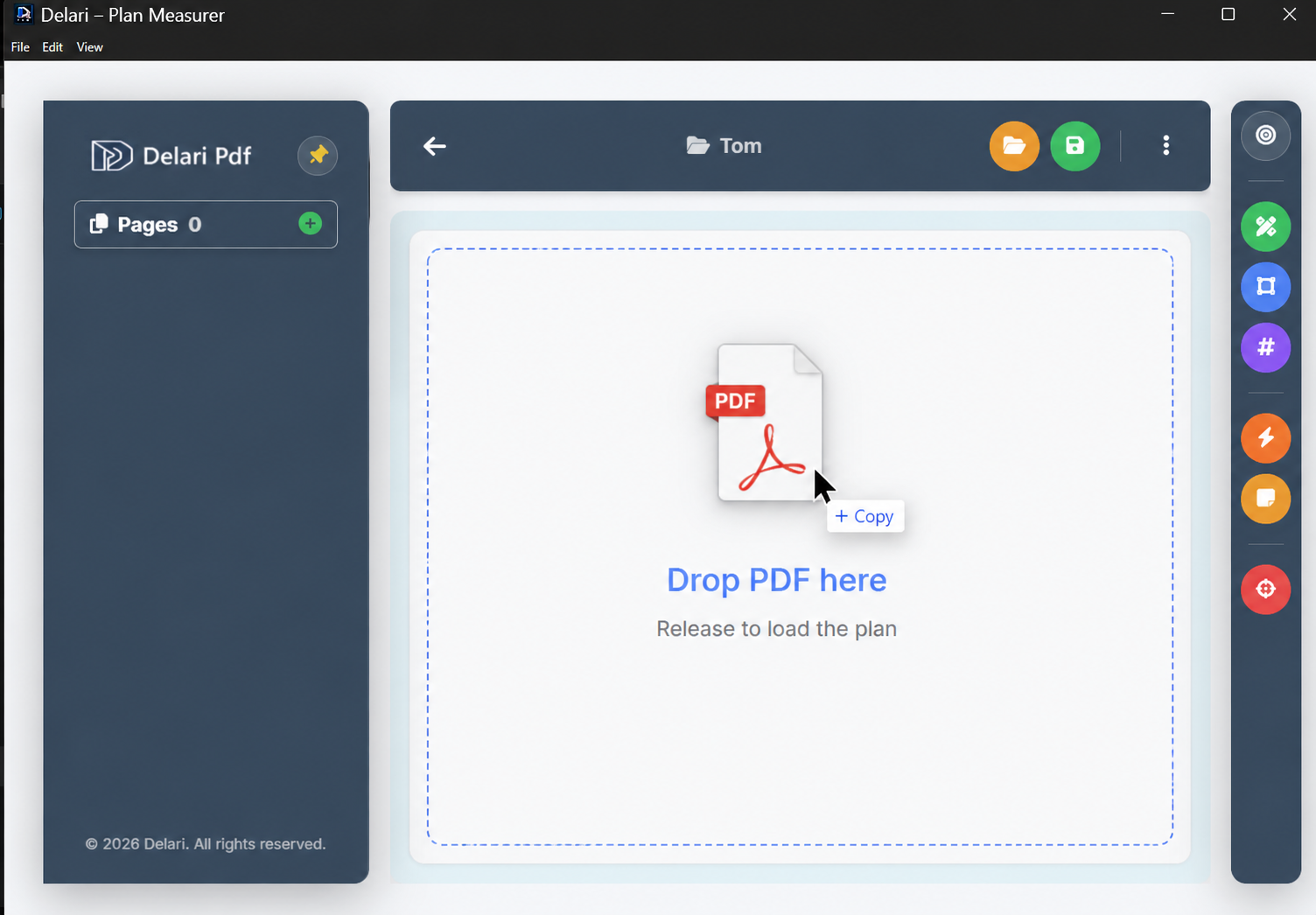
Upload Plan
2 Set your scale once
Set Scale
3 Click and drag to measure lengths or areas
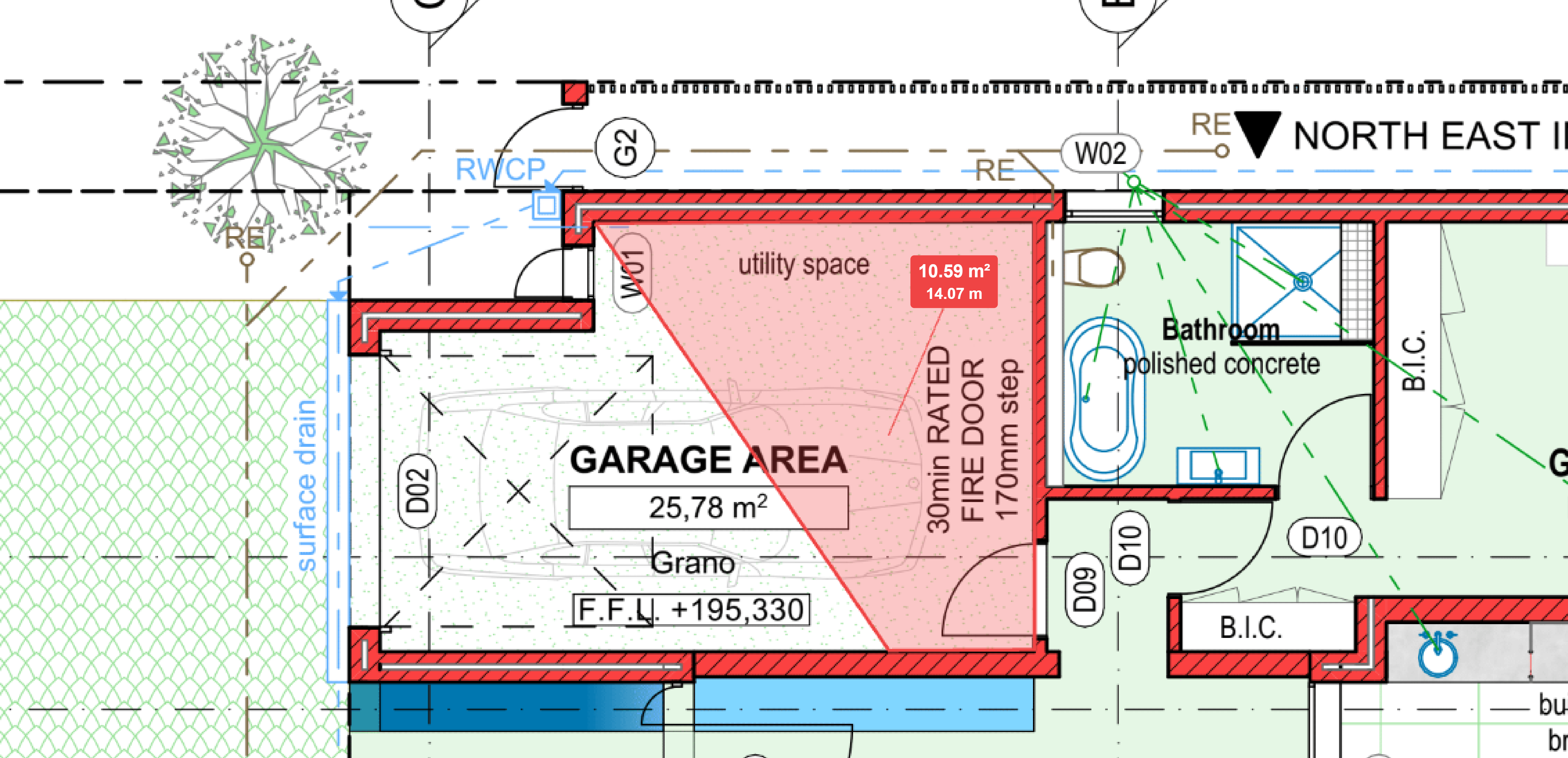
Measure Plan
4 Export or save your measurements for quotes
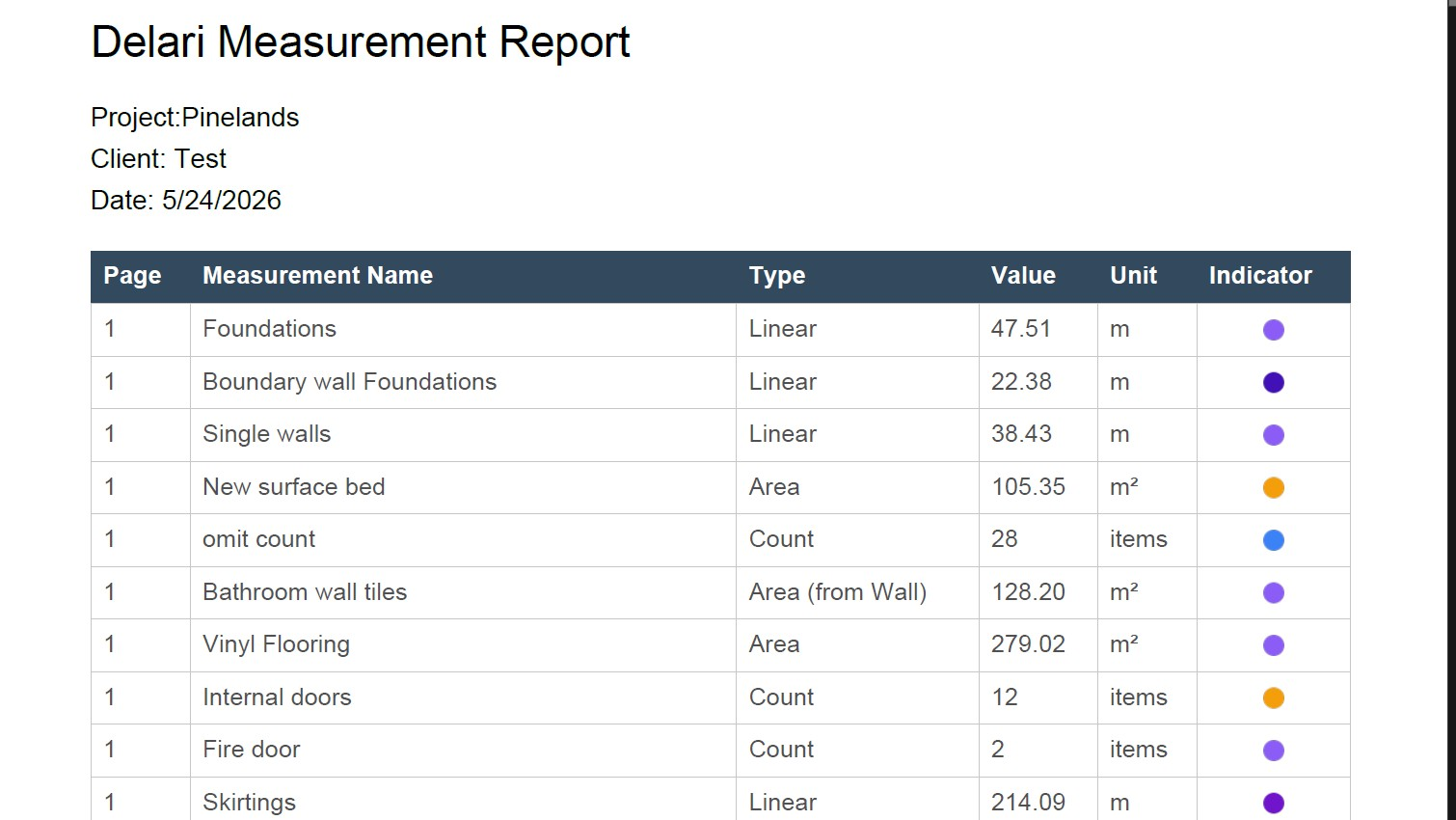
Export Results

That's it — you're done!

Delari PDF

OFFICIAL CHANNEL

Watch our tutorials and updates

Subscribe

How to Load & Start

How to Calibrate Scale

How to Measure

How to Export Quotes

Happy to announce our

BRAND-NEW APP

Our Approach

Case studies

See exactly how the trades use Delari PDF on site and in the office to speed up their workflow.

Plumber using Delari

Case Study (Plumber)

Calculate exact pipe lengths and fitting counts in seconds. Stop guessing on complex drainage or supply line layouts directly from the architectural plans.

Read More
Painter using Delari

Case Study (Painter)

Instantly calculate total wall and ceiling surface areas. Accurately estimate paint volumes by subtracting windows and doors with a single click.

Read More
Tiler using Delari

Case Study (Tiler)

Map out intricate floor plans and calculate exact square meterage for tiles, instantly factoring in wastage and grout requirements.

Read More

Need Support?

We'd love to hear from you.

support@delari.co.za

100% Offline Privacy

The Software operates entirely offline on your local machine. It does not collect, track, record, or transmit any personal information, project data, or usage analytics.

Estimation Disclaimer

Calculations are for preliminary estimation purposes only. Users assume full responsibility for verifying all outputs before relying on them for bidding, purchasing, or construction.

Refund Policy

Due to the nature of digital products, all purchases and license keys are final and non-refundable. Subscriptions may be canceled at any time to prevent future billing.

Windows Installation Guide

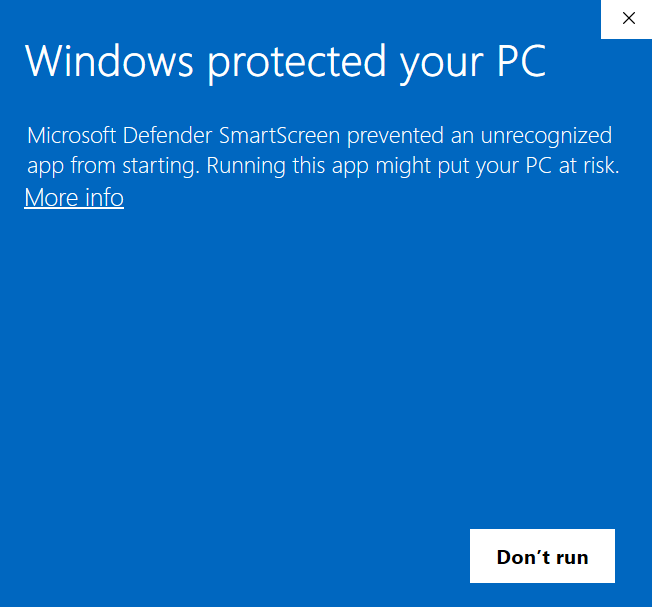
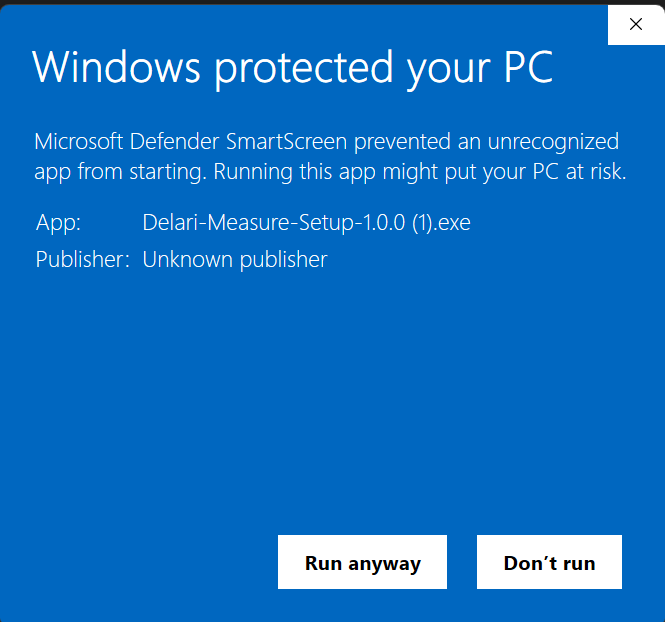
Because Delari Measure is a newly released professional tool, Windows may ask you to confirm the installation. Here is how to proceed safely:

1

If you see this, click More info

Windows SmartScreen Initial Warning
2

Click Run anyway

Windows SmartScreen Run Anyway

Windows 11 Users: You may also see a dark window recommending the Microsoft Store. Simply click "Install anyway" to continue your installation.

Windows 11 Store Warning